Disability Services

Aids and Programs Available 

Lecture material accessLecturers' notes
Internet access to lecture materialAudio-taping
Access for hearing impairedNotetakers
Print accessArrangement of library support
Assistive TechnologyAudio-recordings
BrailleWriting aids
Mobility assistanceScooters
Access Room 

Lecture material access 

Some students may find that their disability prevents them from taking adequate lecture notes. This may be the case for students who: are unable to write or type (because of quadriplegia or cerebral palsy); have a hearing impairment; have a reduced writing speed or endurance for writing (due to muscular dystrophy or an injury to the dominant hand or arm); experience pain upon writing (in the case of overuse injury or some forms of arthritis); experience restriction of posture (in the case of severe back pain); have an inability to effectively present information in written form (due to a learning disability or acquired brain injury). The Independent Learning Skills Program can help students maximise their capacity to independently take their own notes. There are also a variety of alternative means by which students can be provided with access to the content of lectures. In some cases a student with disability can independently access this information; sometimes access may need to be arranged through the DLO.

Back to top

Lecturers' notes 

In some cases, lecturers can provide detailed notes from which they lecture. Copies of these notes can be made available to a student with disability through Student Services. Sometimes lecturers provide outlines of their lectures for use in the reserve section of the Library. The lecturer will advise in lectures, or in subject outlines, if this material is available in the Library.

Back to top

Internet access to lecture material 

Many subjects at the University now have World Wide Web resources which provide lecture content or outlines or additional material which is relevant to the subject. The lecturer will advise in lectures, or in subject outlines, if this type of material is available.

Back to top

Assistive Technology 

Assistive technology (AT) for accessing print material is located in the Access Room in the Library. Computer equipment can be used to scan and translate text into a computer file which can then be read and spoken to the student by the computer. 

Students should consult the DLO about how to obtain training in the use of the equipment or demonstrate to the DLO that they have already developed skills for using the equipment. Training in the use of software and hardware is provided by Assistive Technology Officer who is available by appointment. Phone 4221 4942 for an appointment. 

Prospective students are advised to start training in the use of this equipment several months before they commence university, so that they have the skills necessary for making a successful transition to independent study.

Back to top

Audio-taping 

Some students may find that they prefer to audio tape lectures, in order to review the notes they have been able to take in lectures, and add material that they might have missed. This method may take extra time, but it does enable students to independently take their own notes and to improve on them in their own time. Tape recorders are available for loan from the Disability Liaison Officer.

Back to top

Access for hearing impaired 

Students with hearing impairments can borrow FM transmitter systems which connect directly through their hearing aid, or through a pair of headphones, and receive a radio transmitter microphone signal from the lecturer. Students can independently advise lecturers that they want to make use of this equipment or the DLO can liaise on their behalf. The equipment is available for loan from the audio-visual services office located in Building 20.

Induction loops have been fitted in some lecture theatres. In order to use the induction loop students need to organise for microphone and amplification equipment to be set up and connected to the loop by the audio visual officer located in Building 20.

Back to top

Notetakers 

If none of the options outlined above are suitable, Student Services can provide a notetaker. This requires the employment of a student in the same subject who supplies a copy of his or her notes which students can collect from Student Services. The identity of the student requiring the notes is not disclosed to the notetaker. If students need a notetaker for a particular subject, they should consult the DLO about their requirements before they commence study within that subject. Notetakers are employed to take comprehensive and clear notes in a reliable manner. If the student requiring the notes is not satisfied with the notes provided they should inform the DLO as soon as possible. If a student discontinues a subject for which a notetaker has been provided they need to inform the DLO at the time the subject is discontinued.

Back to top

The Access Room 

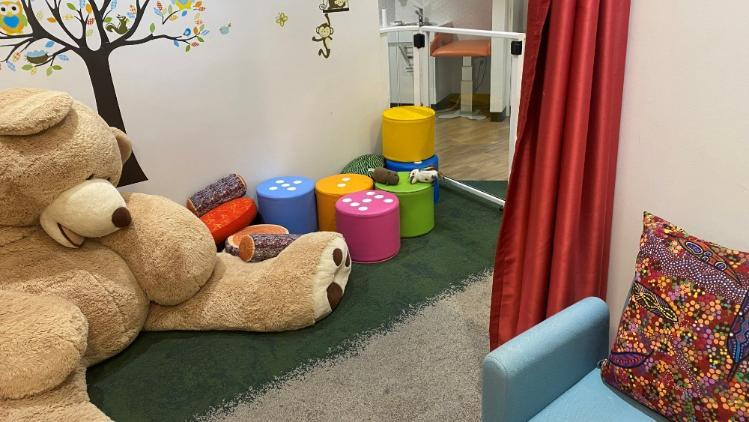
The Access Room is a small, quiet room in the library, fitted with ergonomic furniture, where students with disabilities can complete assignments with greater ease and privacy. A small computer lab is available for general use in the Access Room. Lockers are provided for the storage of heavy materials while students are on campus. In order to gain entry to the Access Room or use the lockers students need to be registered with the DLO who will provide an electronic card which automatically unlocks the door to the room.

Back to top

Print access 
Arrangement of library support 

There are specific staff available to assist students if they require special arrangements for accessing Library resources. Students should arrange for the DLO to notify Library staff of your requirements or complete the Library's application form for specialised assistance.

Back to top

Audio-recordings 

Students who prefer to listen to audio tapes need to consult the DLO on the most efficient method of obtaining recordings of books, journal articles or subject handouts. Audio recordings can be provided through the Royal Blind Society or through a volunteer reading program operating from Student Services. Students can also borrow four track tape recorders from the DLO for listening to 'Talking Books'. Students who want to make use of audio recordings must provide the DLO with advance notice of their requirements so that the recordings can be provided within a useful time frame.

Back to top

Braille 

Students who wish to use Braille must provide the DLO with advance notice of their requirements. A Braille printer is also available for use in the Access Room in the Library and may be used to print computer files which have been obtained through scanning and translation of text.

Back to top

Writing aids 
Assistive Technology

Students who have difficulty with handwriting or typing can make use of the assistive technology located in the Access Room.  In order to use this equipment, students need to be registered with the DLO, who will organise training in the use of this technology. Additional assistance for students who have been trained by the Assistive Technology Support staff can be obtained by phoning 4221 4942.  Prospective students are advised to start training in the use of this equipment several months before they commence university. 

Back to top

Disability Parking 

At the University of Wollongong the Roads and Traffic Authority’s Mobility Permit Scheme applies. An application can be downloaded from here.

Students and staff with an RTA Mobility Permit Scheme Card (RTA MPS) will be able to park without charge in University parking spaces set aside for people with disabilities. For further information refer to the "UOW 'Parking' web pages.

RTA Mobility Permit Scheme Card holders who need to regularly use the disability parking spaces in the Short-term Parking Station may wish to use an E-tag which is available from Disability Services on level 3 of the UniCentre building on presentation of an RTA MPS card. 

 Back to top

Scooters 

Three motorised scooters are available from Disability Services. Users need to book times they need the scooters with the Administrative Assistant in Student Services.

Last reviewed: 17 May, 2012

PASS Banner
SSA Banner
FYE Banner
Wellbeing Banner
Counselling Services Banner

SEQ Web Sticky Image